
 book a call with us
The Celo Blockchain is fast becoming the go-to ecosystem for developers building real-world decentralised applications. It’s mobile-first, carbon-negative, and EVM-compatible: everything a developer needs to launch scalable dApps for a global audience. However, building on Celo isn’t just about writing smart contracts; it’s about making those contracts work smarter. That’s where Kwala comes in. Kwala is redefining how developers build and automate on Celo: no code required. As a Web3 workflow automation platform, it lets you connect smart contracts, dApps, […]
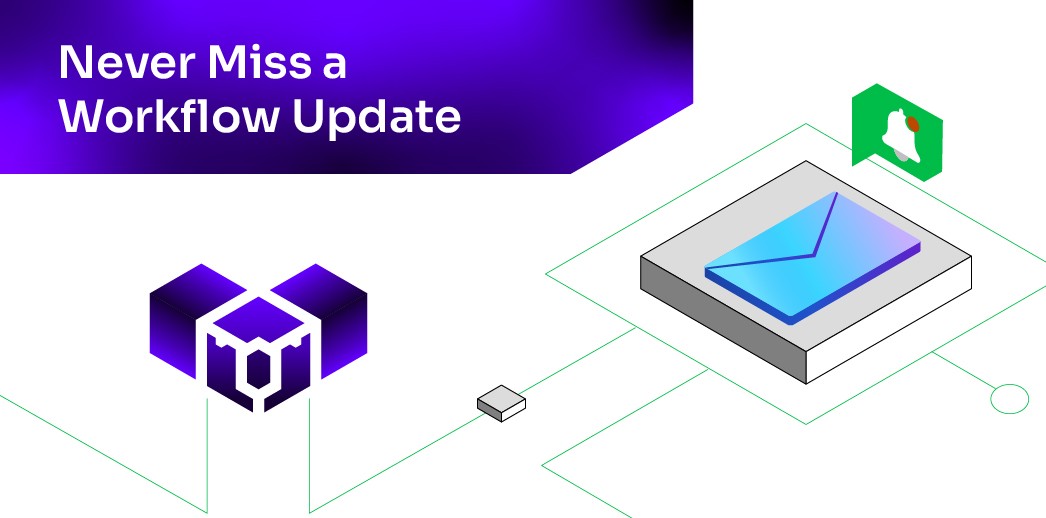
Read MoreIs the gap between an on-chain event and the moment you hear about it sabotaging your dApp? You’re not the only one wondering.
Developers often feel that pit in their stomach because a single missed alert can mean a failed liquidation, delayed governance action, lost funds, or a stalled user experience. In Web3, timing isn’t a feature; it’s survival. And yet, most teams still work in Web2 environments where critical blockchain signals never surface in time.
That’s why real-time notifications matter. They bridge the disconnect between where events happen (on-chain) and where teams work (email, chat, dashboards). When your backend and your communication tools speak to each other, you react faster.
In this blog, we’ll show how no-code automation connects blockchain triggers directly to your email inbox, ensuring you remain instantly aware of every mission-critical event.
Whether you rely on Gmail, Outlook, or any standard email client, you’ll get notified the moment the chain moves, so nothing slips past you again.
Connecting Web3 triggers to Web2 inbox
Your smart contract logic works perfectly on-chain: whether it’s a liquidation, a treasury action, or a simple transfer. Yet, your team is still stuck polling the blockchain every five minutes using a custom, buggy script just to confirm the transaction went through and log the gas fee. The outcome is complete, but the notification process is broken.
The final piece of the automation puzzle is ensuring that the workflow’s outcome lands instantly in a usable, accessible format, like your team’s Outlook or Gmail inbox.
This is where Kwala’s no-code workflow automation design comes into the picture.
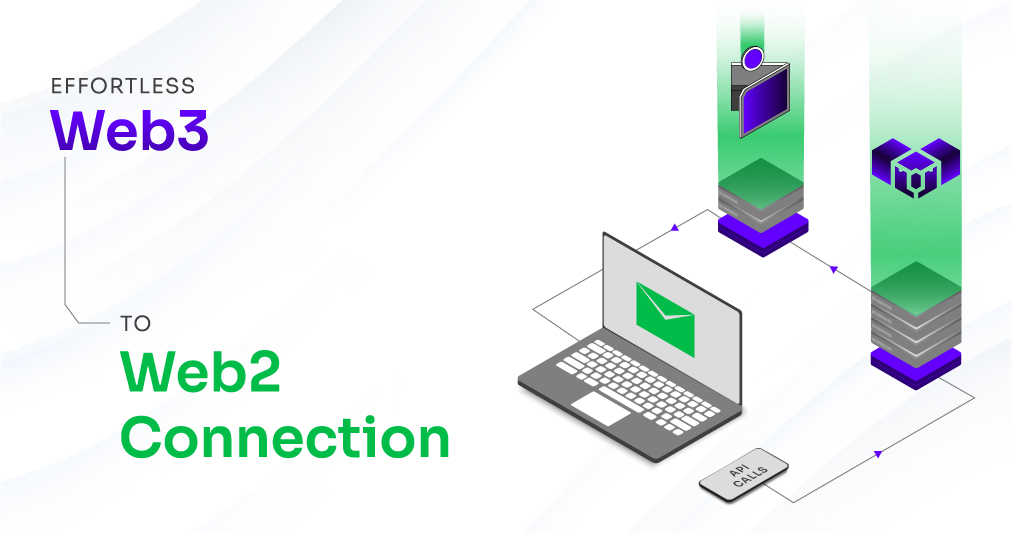
We do more than just connecting the blockchain; we support direct Web2 API calls from your decentralized workflow. This capability is the core mechanism that truly breaks the barrier between autonomous Web3 logic and familiar enterprise tools.
Here’s how the process comes together:
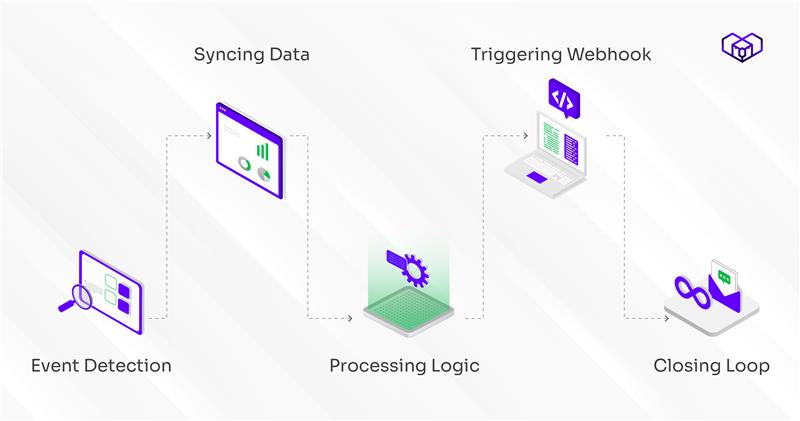
- Detects the on-chain event: Kwala listens to the specific smart contract event you’ve defined.
- Syncs data: Pulls precise event details from the blockchain.
- Processes your workflow logic: Your configured conditions run next (checking thresholds, verifying amounts, or matching wallet activity).
- Triggers the webhook: By using the Web2 API call to initiate the notification.
- Closes the loop: Our complex Web3 logic finds its way, cleanly and instantly, to your simple inbox.
Learn more about how a Web3 workflow automation protocol like Kwala works behind the scenes to enable this connection.
Integration guide: Get workflow notifications in 4 simple steps
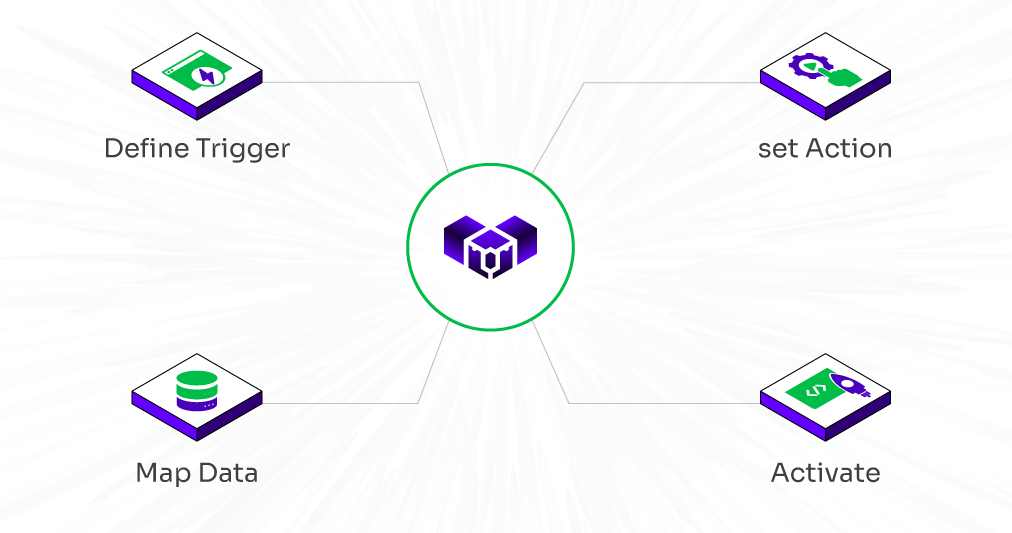
You can take control of your Web3 workflows with instant on-chain notifications. The integration is a proactive, four-step process that places you in immediate control.
Step 1: Define the trigger
Log in to your Kwala Console and define the on-chain event or condition that matters most. This is your foundation.
- Example: An NFT escrow contract closes successfully.
- Example: A scheduled time-based workflow executes a token claim.
You can also explore setting up automated blockchain alerts within minutes using Kwala.
Step 2: Set the action as an external webhook
In your workflow YAML, define the final action as an external call, such as a simple webhook or API call to your preferred no-code automation service (e.g., Zapier, which seamlessly connects with both Gmail and Outlook). This is how our platform hands off the precise data packet.
Step 3: Map the data to email fields
Within the no-code service, map the dynamic data variables (the transaction ID, the resulting wallet balance, the error message, and the timestamp) from Kwala’s execution directly to your email fields (Subject line, Body).
Note: Our platform provides the data and ensures the integrity of the information.
Step 4: Activate and monitor
Deploy the workflow in Kwala and activate the integration on the no-code side. It begins monitoring the blockchain event immediately. The moment the trigger is met, the outcome is executed, the webhook fires, and the notification lands in your inbox.
Need status on your DeFi liquidation protection? Our platform sends the transaction ID and status to your Outlook. Your position is secure, and your mind is clear.
Similarly, you can automate your user onboarding using Kwala to trigger instant updates across wallets and platforms.
Convenience and confidence in every ping
The Kwala philosophy is clear: complexity stays in the protocol, not in your workflow.
It is the only automation protocol for Web3, and the integration framework extends that low-code ease of operation directly to your email.
You define the logic once in the console, and the event-driven output becomes instantly available to integration tools that connect with Gmail and Outlook.
This powerful connectivity is built on our decentralized, pay-as-you-go backbone, giving you control and efficiency:
- No polling goes to waste; you are only charged credits when the action executes successfully-when the email is delivered.
- You get cost-effective certainty; paying for a definitive outcome, not for constantly polling expensive servers.
- You receive reliable alerts from our system.
Our platform supports seamless integration, making the Web3-to-Web2 connection effortless. From on-chain execution to a ping in your inbox, no backend is in your way. Book a demo today!
FAQs on workflow automation alerts
1 .Does Kwala charge gas fees for sending email notifications?
No. Email notifications run on Kwala’s decentralized, credit-based system, so you only pay for successful workflow executions. Gas fees apply only when your workflow performs an actual on-chain transaction.
2. Can I integrate Kwala with other services besides Gmail and Outlook?
Yes. Kwala supports Web2 API calls, allowing you to connect with almost any service that offers APIs or webhook endpoints. This makes it easy to plug in CRMs, notification tools, payment platforms, or custom endpoints.
3. Is writing code required to set up these email alerts?
No, this entire notification workflow can be set up using Kwala’s no-code automation framework. You can configure triggers, conditions, and message content without touching backend code.