
 book a call with us
Web3 development gets messy fast. Manual listeners, scattered triggers, and fragile backend scripts turn simple ideas into heavy engineering work. Most teams end up maintaining more infrastructure than actual product logic. Kwala changes that. It gives developers a Web3 automation platform built for speed, reliability, and scale. With multi-chain workflow automation, a strong blockchain workflow engine, and smooth smart contract workflow automation, you finally […]
Read MoreYou know that moment when you’re refreshing a blockchain explorer and look away for just one minute?
That’s usually when the block you’ve been waiting for gets mined. It often leads to missed rewards, failed bids, or poorly timed actions. That’s the reality of Web3, where everything happens instantly on-chain with zero patience for human timing.
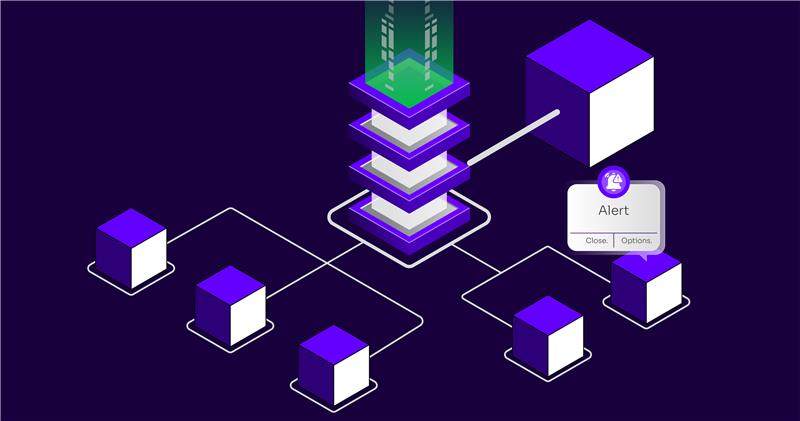
Tracking block numbers manually, checking explorers, or juggling backend scripts wastes your time and risks missing critical events. If you’re not automating alerts, you’re already behind. They’re like the early-warning systems that keep you synced with the chain the moment something important happens.
In this blog, you’ll learn how to set up these alerts in just five minutes. With Kwala, you can create token price notifications without writing code or managing any servers. But first, let’s quickly look at why automated blockchain alerts are so important.
Why automated blockchain alerts matter
Real-time blockchain alerts go far beyond simple notifications. They help you react at the exact moment the chain changes. One of the most common examples is tracking block numbers.
Let’s say you’re watching Polygon Mainnet and want an alert the moment it reaches block 57,000. With the right automation, that trigger becomes your signal to act instantly. Let’s explore a few examples for real-time token price alerts:
- Personal milestone notifications: Maybe you want a simple alert whenever a chain hits a specific block height. It helps you stay synced with on-chain progress without refreshing explorers all day.
- Reward calculations based on block intervals: Many staking contracts distribute rewards after fixed block intervals. Automated token price notifications help you know exactly when those intervals hit. They help you compute, track, or trigger reward-related workflows without manually counting blocks.
- NFT auction triggers: Some NFT auctions or time-sensitive bids are controlled by block numbers instead of timestamps. Token price notifications let you know the precise moment a certain block is mined, so you never miss your ideal bidding window.
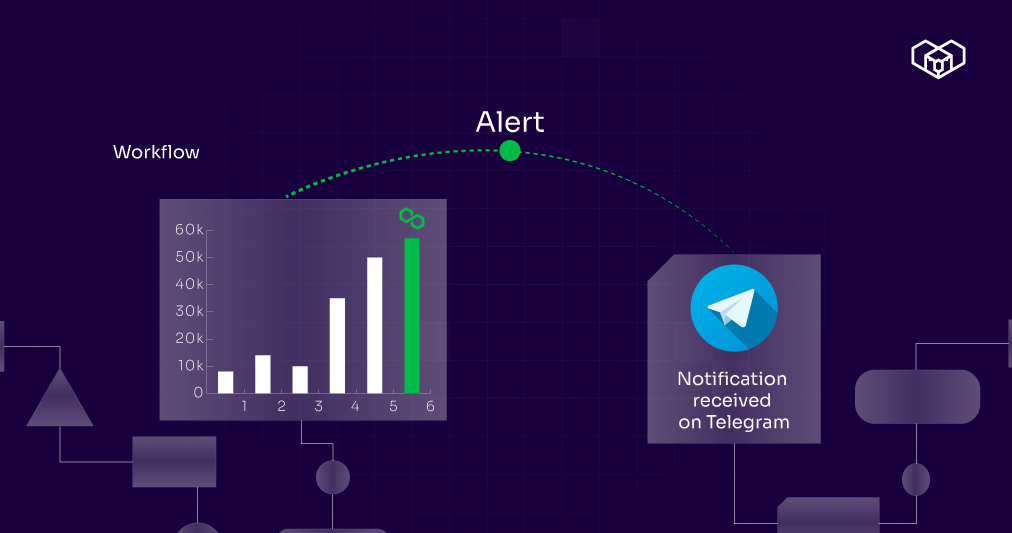
We can show the entire process such as the moment block reaches a certain value → workflow triggers alert → Telegram notification is received. Consider using a chain of blocks as a progress indicator.)
Steps to create custom token price trigger alerts
Blockchains don’t wait for anyone. Bitcoin adds a new block roughly every 10 minutes, while Ethereum adds one every 12 seconds. With things moving this fast, automated alerts are the only way to stay ahead of critical on-chain events. Let’s dive into the token price drop notification setup.
Step 1: Configure a Telegram bot to receive crypto token price alerts
To get those instant price notifications, you’ll need a Telegram bot. For this, open Telegram and search for BotFather. Start a chat by typing /newbot.
Follow the prompts to name your token price alert Telegram bot. Once you’re done, BotFather will hand you an API token.
Step 2: Create a token price alert workflow for alerts with Kwala
Now, visit the Kwala website and log in to your account. You’d come across the dashboard. Click on “New Workflow.” Utilise the workflow builder here to simplify the process. These are the next steps to follow:
- In the execution settings, select “Block Number.”
- Keep the “repeat after” settings to NA,
- Set the expiration time for the Kwala price alert workflow.
- Specify the blockchain and the target block number.
- Select “Polygon Mainnet (POL) in the Trigger Chain ID.
- Add the notification post URL and API key.
Step 3: Add action settings to set token price alerts on the blockchain
First, add the action name and select POST (API Call) for the Action Type. Then you’ve to add the API details and the text message you want the Kwala token price alerts to display.
Once done, click on “Create Workflow.” You’d come across a YAML file, where you’ve to double-check all the details. Then, save, compile, and deploy the workflow. Since it’s live now, you’ll start receiving the Kwala no-code blockchain alerts on your Telegram.
Make blockchain monitoring effortless with Kwala network token notifications
Blockchains are secure and efficient at handling state transitions, but they weren’t built to make monitoring easy. They don’t natively tell you when a block is mined, a contract executes, or an event occurs.
Monitoring block numbers traditionally means:
- Running backend listeners
- Maintaining RPC connections
- Constant polling
- Writing custom scripts
- Hoping those scripts don’t break when you need them most
These are the challenges that Kwala Web3 automation can resolve. Instead of relying on backend servers, it lets you trigger workflows directly from blockchain events. Here’s what it can do:
- Listen for block updates natively.
- Workflows run through a no-code YAML automation engine.
- You can set triggers on any supported chain with a few clicks.
- The moment your target block is reached on any supported blockchain, your workflow triggers immediately.
Don’t let the chain outpace you. Kwala ensures that every important blockchain action reaches you immediately, enabling you to make faster, smarter decisions.
FAQs on automated alerts for blockchain activities
What can I monitor with these blockchain alerts?
You can track block heights, token price moves, wallet activity, staking or reward intervals, and even NFT auction milestones. The same workflow logic can be reused across different chains and use cases without extra backend work.
Do I need coding skills or servers to set this up with Kwala?
No, Kwala uses a no-code workflow builder and YAML-based automation. Thus, you can configure custom triggers and actions through a user-friendly dashboard. The platform handles RPC connections, listeners, and execution to simplify backend challenges.
Which channels can I use to receive blockchain alerts?
You can send alerts to Telegram, Slack, Discord, email, and webhooks, depending on how you prefer to be notified. This makes it easy to route critical chain events to personal chats or shared team channels in real time.