

Prerequisites
Before purchasing Kwala credits, ensure you have:- MetaMask wallet installed and configured
- Your wallet configured for BNB Smart Chain network
- USDT tokens on BNB Smart Chain for payment
How to purchase Kwala credits
There are two methods for purchasing Kwala credits using USDT on BNB Smart Chain. To get started, navigate to payments.Kwala.network.Network: All transactions are processed on BNB Smart Chain. Ensure you have USDT on BSC network.

Method 1: Wallet swap (recommended)
The Wallet Swap method allows you to directly swap USDT for Kwala credits from your connected wallet. It works well when you already have USDT in your connected wallet and want Kwala credit instantly credited into your account.Connect your wallet
Visit payments.Kwala.network and select Connect Wallet. A pop up appears, where you select your wallet from the available options and approve the connection.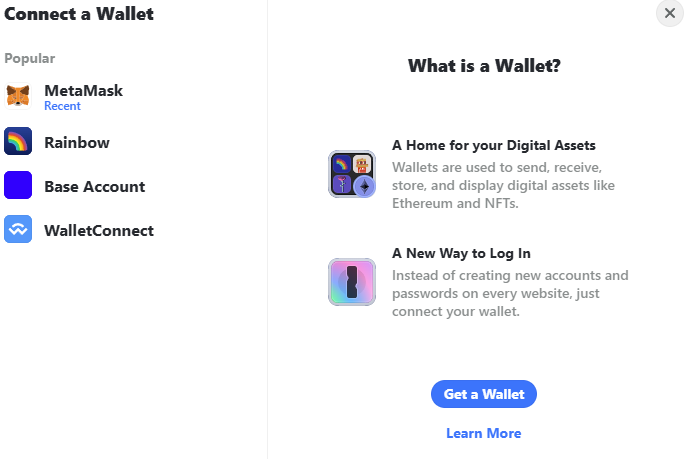
Select wallet swap tab
On the payment portal, ensure the Wallet Swap tab is selected (it should be active by default).
Enter USDT amount
In the You Pay field: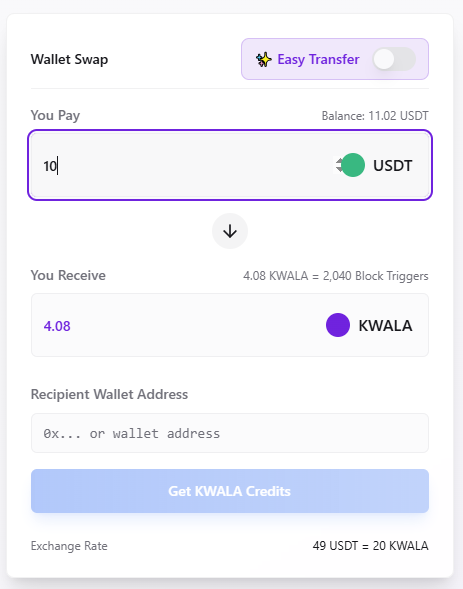
- Enter the amount of USDT you want to swap
- Your wallet balance will be displayed for reference
- The You Receive field will automatically display the Kwala credits you’ll get
- Enter your wallet address in the Recipient Wallet Address field
Review exchange details
Verify the following information:
- You Pay: Amount in USDT
- You Receive: Equivalent Kwala credits
- Block Triggers: Number of block triggers included
- Exchange Rate: Current conversion rate (49 USDT = 20 Kwala)
Confirm and swap
Select the Get Kwala Credits button and approve the transaction in your wallet. The swap will be processed instantly on BNB Smart Chain.
Method 2: Easy transfer
The Easy transfer method allows you to send USDT from any wallet to purchase Kwala credits for a specific recipient address.Access payment portal
Visit payments.Kwala.network and select “Connect Wallet” to access the portal.
Select easy transfer tab
Use the toggle button to switch to the Easy Transfer tab to change the payment method.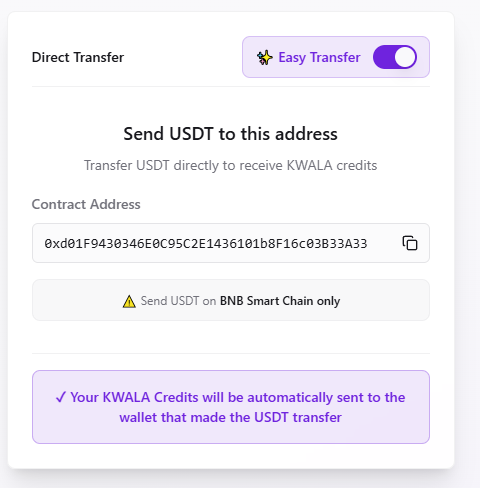
Copy the payment address
Copy the provided USDT payment address displayed on the Easy Transfer page.
Send USDT from your wallet
Open your wallet and send the desired amount of USDT to the copied address on BNB Smart Chain. The amount you send will determine how many Kwala credits you receive based on the current exchange rate.
Workflow execution and credit deduction
Every time you run a Kwala workflow, credits are automatically deducted from your Kwala address:- Kwala deducts flat credits for workflow creation and trigger execution
- Failed workflows may still consume minimal credits for processing
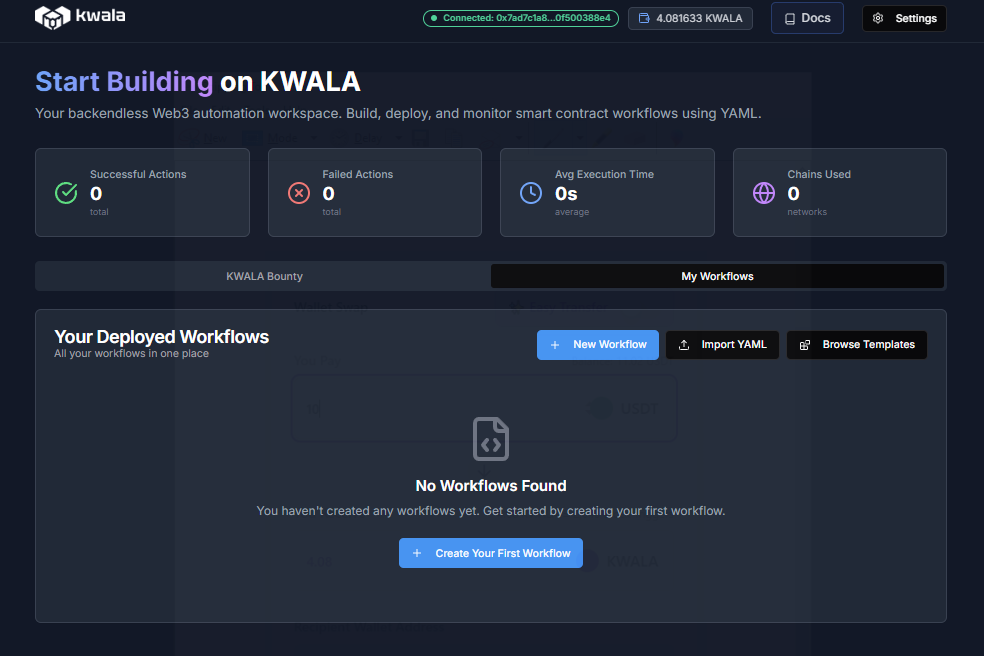
- Monitor your balance and usage on the Kwala Dashboard or explorer
- Get notified when your credit balance runs low to avoid workflow interruptions
Monitor your credits
You can monitor your credits usage in real-time on the Kwala dashboard. From the dashboard, you can view your current credit balance in your wallet and track credit deductions for each workflow execution. Kwala also allows you to set up notification alerts when credits are running low. If you’d like detailed insights into the transaction logs, use the Kwala ExplorerCredit pricing
For detailed pricing information and credit packages, visit our pricing page.Frequently asked questions about Kwala Credits
Do credits expire?
Do credits expire?
No, Kwala credits do not expire. They remain in your account until used.
Can I get a refund for unused credits?
Can I get a refund for unused credits?
Please refer to our terms of service for refund policies.
What happens if a workflow fails?
What happens if a workflow fails?
Failed workflows may consume minimal credits for the processing attempt, but not the full execution cost.
Can I transfer credits to another account?
Can I transfer credits to another account?
Credits are tied to your Kwala address and cannot be transferred.
Next steps
Start building
Create your first workflow
View limits & quotas
Understand execution limits